
LinkedIn connection request generator, free.
Pick your trade and your prospect's situation. The tool suggests three connection notes under 200 characters, then a first message for once they accept. Everything runs in your browser: nothing is sent, nothing is stored.
How do you write a LinkedIn connection note?
Give one precise reason to write, sell nothing, and stay under 200 characters. A recent post, a new job or a hire is enough. The offer comes later, in the first message. The generator on this page offers three notes and a first message, without sending or saving anything.
Updated
A reason to write, and nothing to sell.
A reason, not a compliment
Say why you are writing to this particular person: a new role, a post, a hiring push. A generic compliment is spotted right away, and it lowers your acceptance rate.
No offer in the note
The note is there to get accepted. Your offer comes later, in the first message, and only if the conversation allows it.
Short and readable on mobile
Two sentences are enough. Most invitations are read on a phone, between two meetings. What does not fit on the screen does not get read.
Paste your website address. Sign-up picks it up for you.
How many characters can a LinkedIn connection note have?
200 characters on a free account, 300 with Premium or Sales Navigator. Every note from this tool fits in 200 characters, so it works on any account.
Should I always add a note to my invitation?
No. An invitation without a note is often accepted when the profile is well targeted. A note is worth it when you have a real reason to write, like a new role or a recent post. On a free account, LinkedIn also limits how many personalized notes you can send per month.
Is anything I type sent anywhere?
No. The generator runs entirely in your browser. The first name, company and topic never leave the page and are not stored.
How do I send these messages to many prospects?
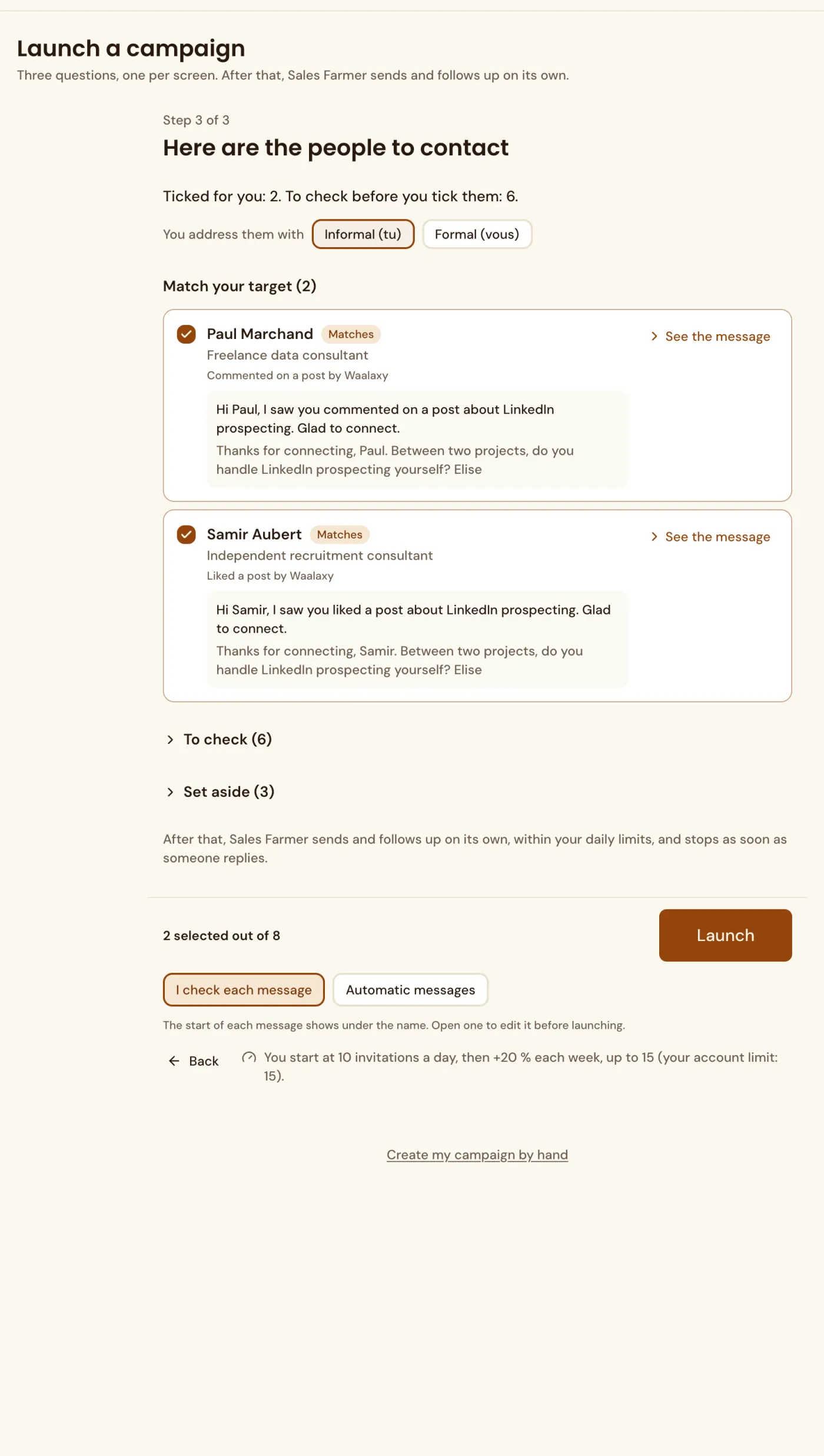
Paste the note you like into Sales Farmer and replace the first name with the first name variable. The tool then sends the invitation and the first message to every profile on your list, with a daily cap you set.
The message is editable person by person.
In Sales Farmer, the invitation note and the next message can be edited for each person. The text shown is exactly what is sent.
An invitation note holds 200 characters at most. The notes from the generator on this page all fit within that limit.